Automatic jump counting
Count with the iPhone camera, an Apple Watch on your wrist or AirPods in your ears — all on-device, with sensitivity you can dial in. No gear at all? Log your result in seconds.
For iPhone & Apple Watch
RopeFlow counts every jump — with your iPhone camera, Apple Watch or AirPods — guides you through 13 training programs plus your own custom workouts, and turns consistency into XP, streaks and 75 achievements.
Download on the App Store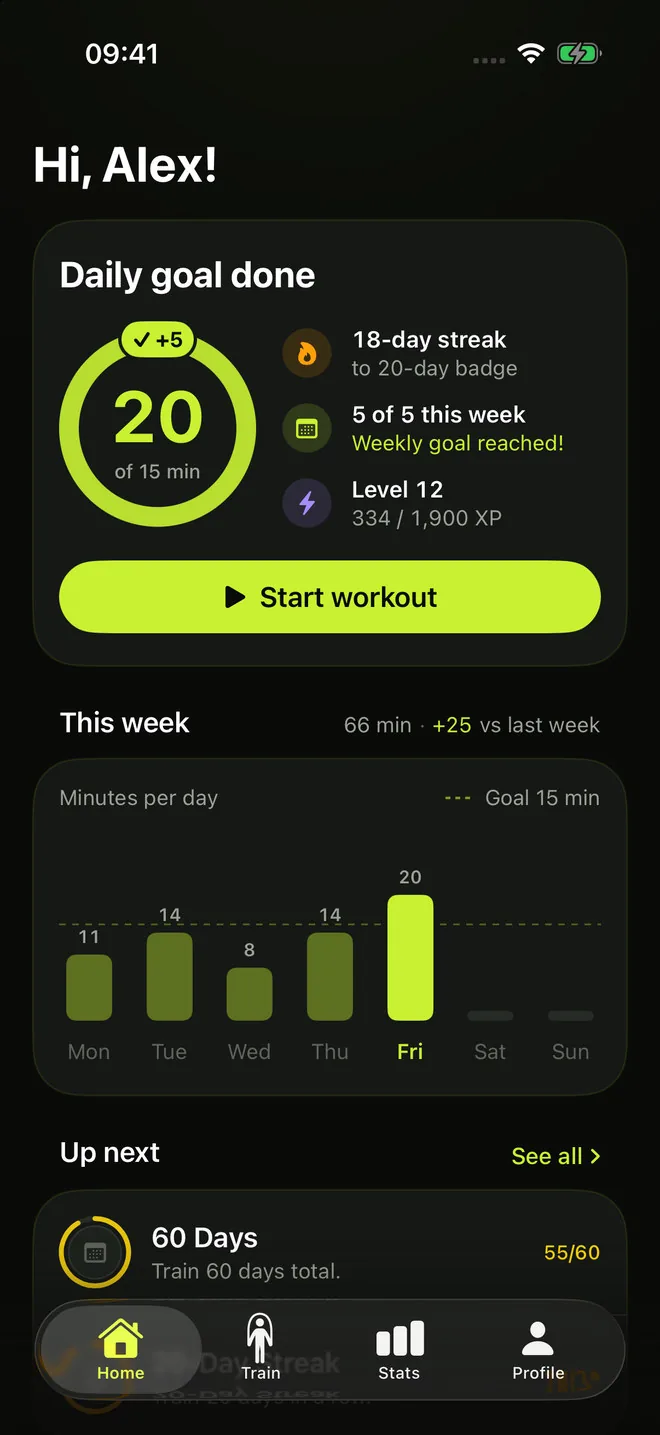
Features
Count with the iPhone camera, an Apple Watch on your wrist or AirPods in your ears — all on-device, with sensitivity you can dial in. No gear at all? Log your result in seconds.
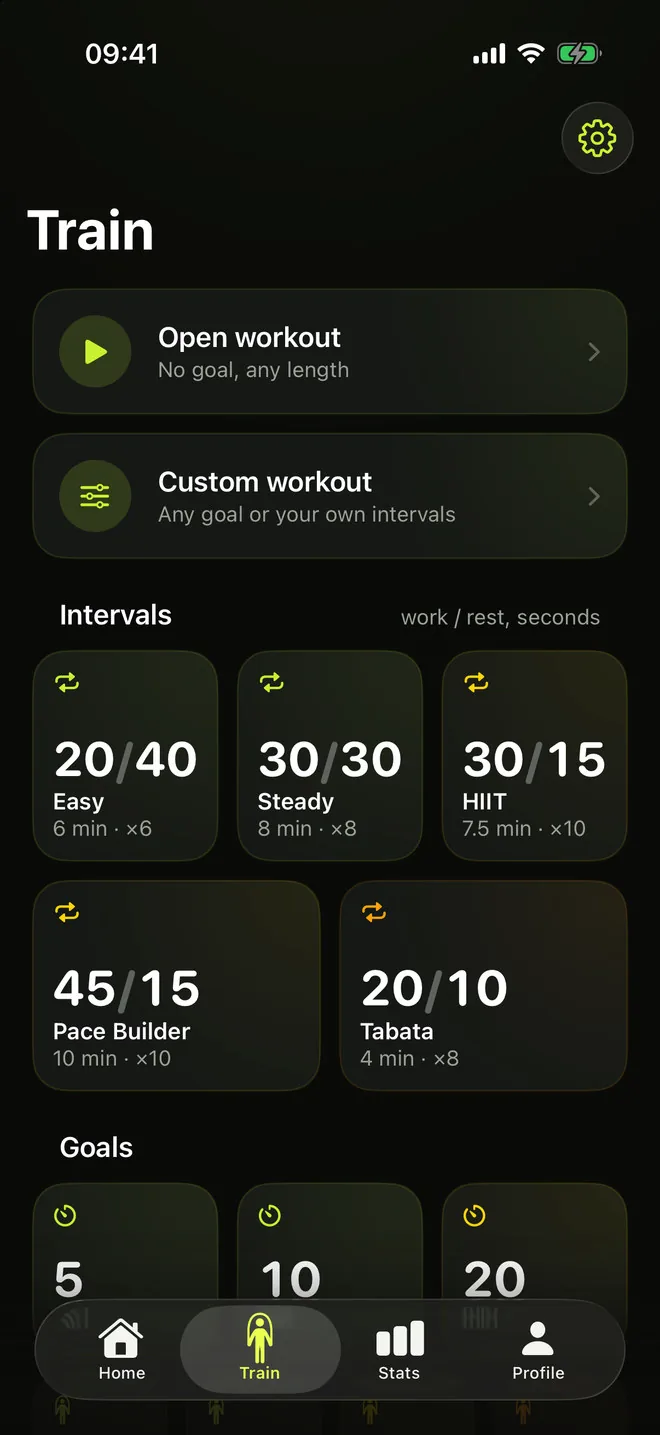
Open, interval and goal-based sessions: Easy 20/40, HIIT 30/15, Pace Builder, Tabata and a jump ladder from 100 to 1000 — or build your own and save it as a preset.
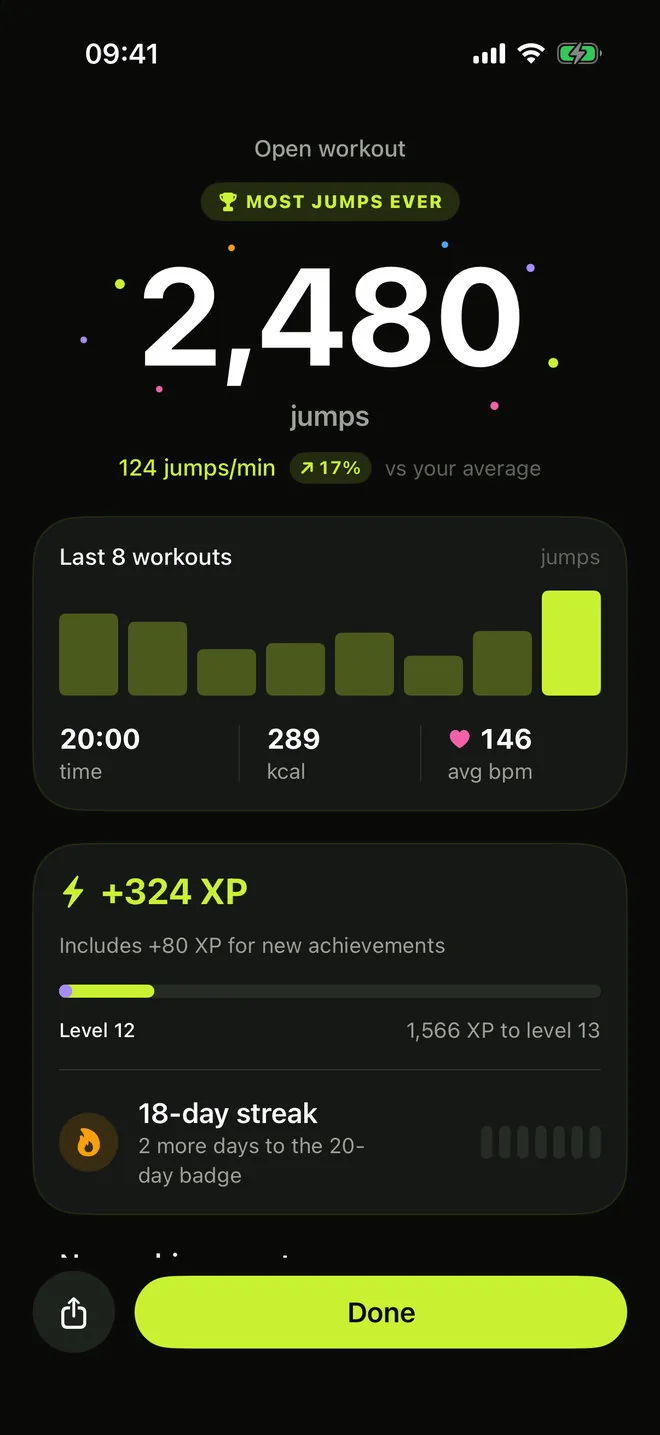
Every workout and achievement earns XP. Level up, and watch your level ring change colour as you climb.
Daily goals and week trackers keep the chain alive. Your best streak is always on the board.
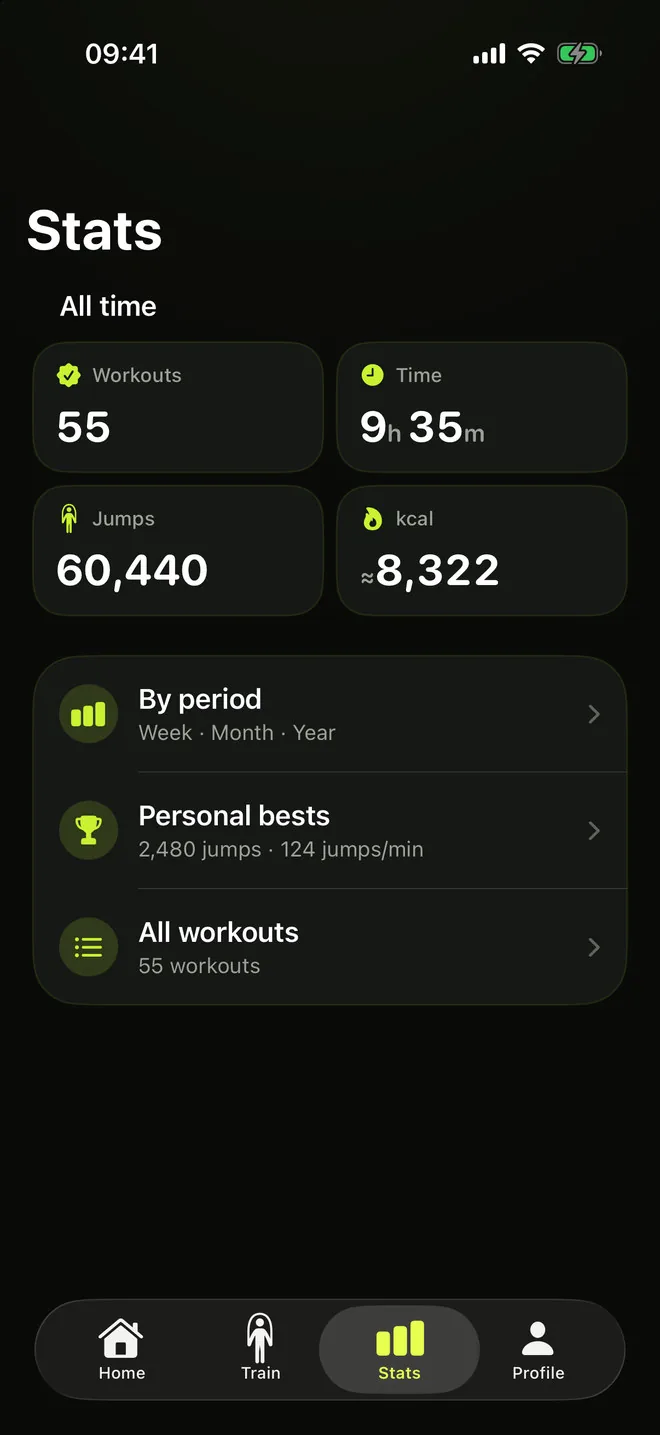
All-time totals for free; week, month and year rollups, personal bests and full history with Pro.
Offline-first with optional account: your progress syncs across devices in real time.
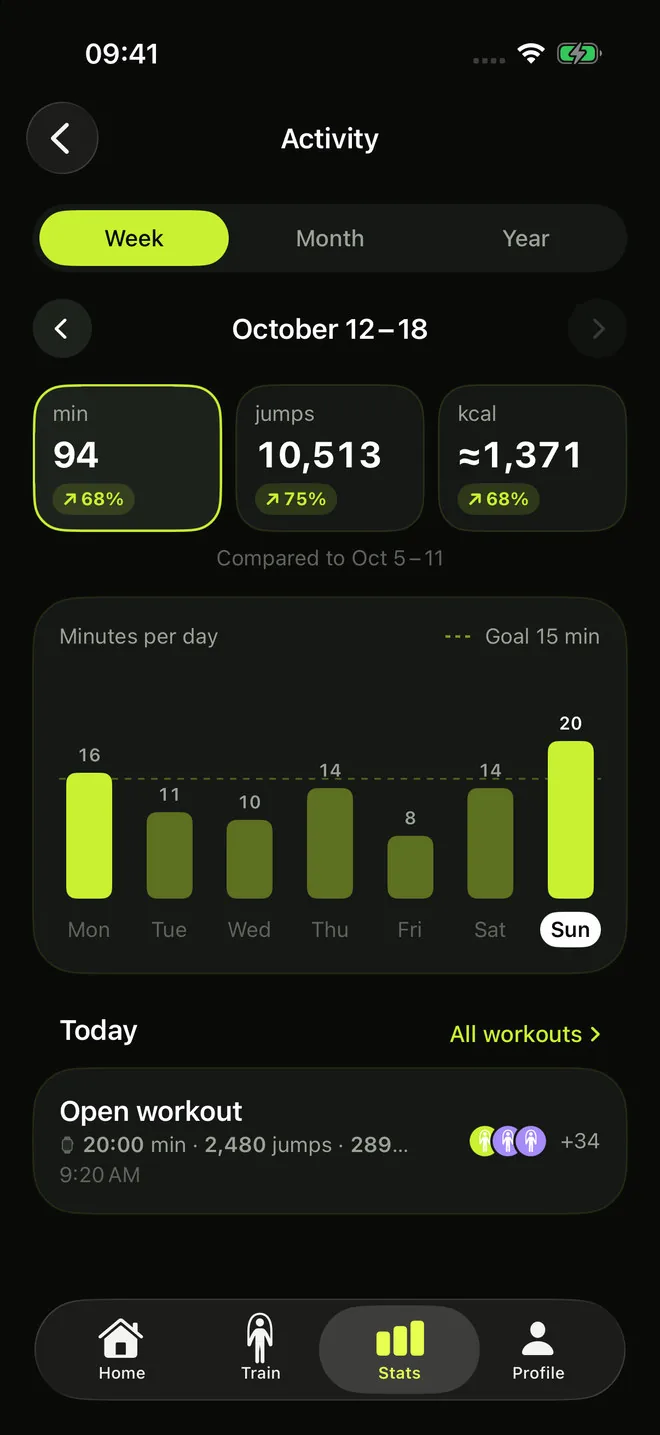
Every Sunday evening: your week as a story — totals, records, a day-by-day chart and the achievements you unlocked.
Chimes for rounds, milestones and the final countdown — clearly audible over your music, and fully configurable.
Catching your breath? The workout pauses itself when you stop jumping — on Apple Watch and on iPhone with AirPods. On camera it pauses the moment you step out of frame.
Camera counting
Nothing on your wrist, nothing in your ears — nothing to wear at all. The camera watches your body and counts every jump on the phone itself, so the fastest way to start training is the one where you own no gear.
Two or three metres away, light in front of you, whole body in frame. Front or back camera — your call, and you can flip mid-workout.
Apple's Vision framework reads your body pose and counts the lift of your hips — keeping up with four jumps a second. Live jumps, pace, calories and XP right on the viewfinder.
Want the clip? Turn on recording before you start, and save it to your camera roll at the finish with Pro. Recording is off by default.
Training
After every workout
Progress
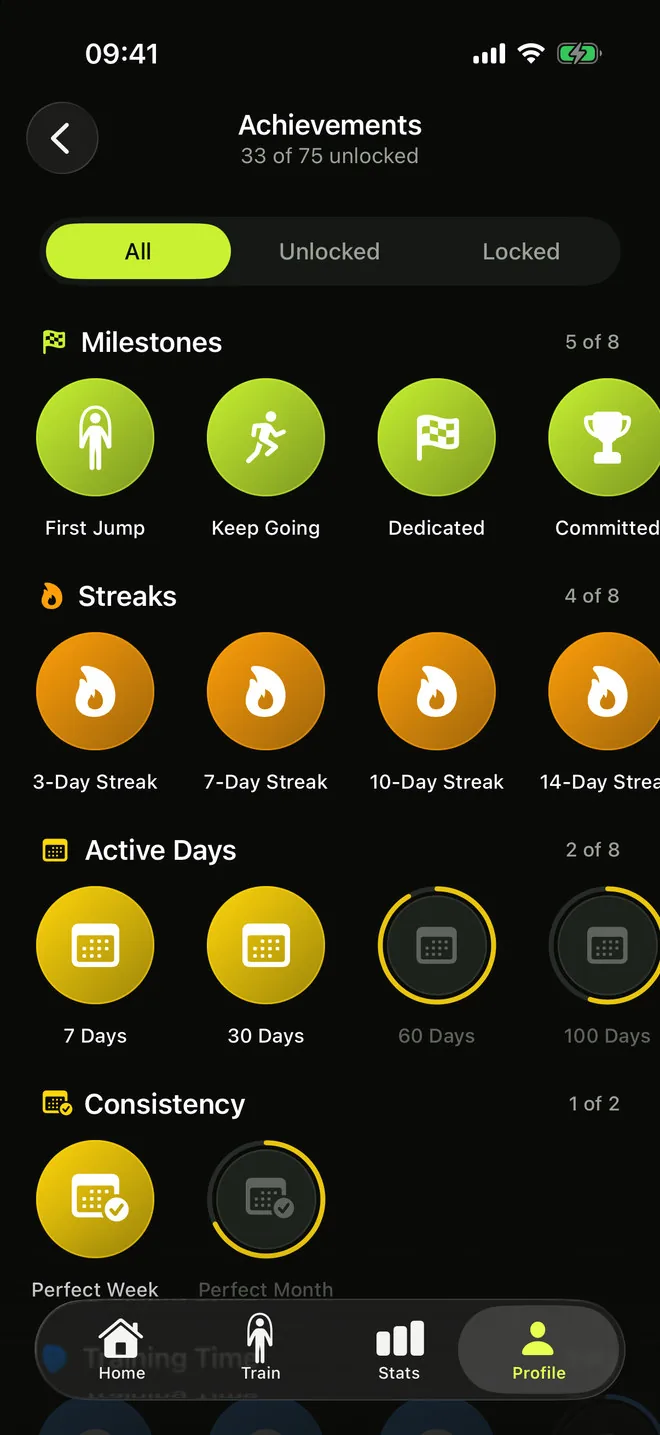
75 achievements across milestones, streaks, active days, consistency and volume — each badge with its own progress ring. A level curve that rewards showing up, streaks that make missing a day actually hurt, and a little celebration every time your level ring earns a new color.
Apple Watch
Start workouts from your wrist, get live heart rate via HealthKit, and see results sync to your iPhone instantly. The watch app opens together with the iPhone app, your custom presets are right there on the wrist, and the glance shows your streak, daily goal and level.
Your week
Minutes, jumps and calories for the week, each compared with the week before, and a bar for every day against your daily goal. On Sunday evening RopeFlow wraps it up as a recap with your records and new achievements, ready to share.
FAQ
Three ways to count, all on-device: the iPhone camera reads your body pose with Apple's Vision framework, an Apple Watch counts from your wrist, and AirPods count from the motion sensors in your ears. Every source has its own sensitivity setting, so you can dial the count in — and you can always enter a result by hand.
No. The iPhone camera counts your jumps with nothing on your wrist and nothing in your ears — just prop the phone up. AirPods count hands-free too. A Watch adds live heart rate, wrist workouts and better calorie tracking.
Not unless you ask it to. Recording is off by default; switch it on and the clip is kept on your device, and with Pro you can save it to your camera roll at the finish. Nothing is ever uploaded — the counting happens on your phone.
Ones with motion sensors: AirPods Pro (all generations), AirPods 3 and later, AirPods Max, Beats Fit Pro, Beats Studio Pro, Beats Solo 4 and Powerbeats Pro 2. Other headphones play sound fine, but can't count — use the camera or the Watch instead.
Yes. RopeFlow is offline-first: everything works without a network, and syncs when you're back online.
On your device first. Create an account and it syncs securely to the cloud; you can delete your account and data anytime from the app.
Counting, all 13 programs, XP, streaks and achievements are free. Pro adds the custom workout builder, saving camera clips, personal bests, past periods and your full history — monthly with a free first week, or once for life.
Very likely — the app speaks 31 languages, from English, German, Spanish, French and Portuguese to Japanese, Korean, Chinese, Indonesian, Thai, Vietnamese, Arabic and Hindi.
More apps
Clean, focused tools built for everyday life on iPhone.
 Skyward
Tells you when and where to look tonight — meteor showers, the Moon and planets for your city — with a sky map you hold up to the sky.
Skyward
Tells you when and where to look tonight — meteor showers, the Moon and planets for your city — with a sky map you hold up to the sky.
 Quitwell
Counts the days without it — alcohol, nicotine, vaping or anything you decided to leave behind — with milestones and the money you keep.
Quitwell
Counts the days without it — alcohol, nicotine, vaping or anything you decided to leave behind — with milestones and the money you keep.
 Revera
Restores old photographs — colour, tears and scratches — and leaves the face exactly as it was.
Revera
Restores old photographs — colour, tears and scratches — and leaves the face exactly as it was.
 Surfbreak
Surf forecast for 183 spots across Indonesia — then your Apple Watch counts every wave you ride.
Surfbreak
Surf forecast for 183 spots across Indonesia — then your Apple Watch counts every wave you ride.
 Borderlog
Counts your days in every country — Schengen 90/180, 183-day tax residency and visa rules for 200+ countries.
Borderlog
Counts your days in every country — Schengen 90/180, 183-day tax residency and visa rules for 200+ countries.
 iCurrency
Currency converter for 160+ currencies and top crypto with live rates and offline mode.
iCurrency
Currency converter for 160+ currencies and top crypto with live rates and offline mode.
 Followly
See who unfollowed you on Instagram — track followers, ghosts and non-followers, privately on your device.
Followly
See who unfollowed you on Instagram — track followers, ghosts and non-followers, privately on your device.
 iHabits
Build lasting habits with streaks, a year heatmap and interactive home screen widgets.
iHabits
Build lasting habits with streaks, a year heatmap and interactive home screen widgets.
 Hale
Calm anxiety in 60 seconds with guided breathing, a quiet voice and gentle haptics.
Hale
Calm anxiety in 60 seconds with guided breathing, a quiet voice and gentle haptics.
 Voca
Record meetings and interviews — Voca marks who said what and pulls out the tasks.
Voca
Record meetings and interviews — Voca marks who said what and pulls out the tasks.
 Renewly
A privacy-first subscription tracker — capture receipts on device, get reminded before every charge, and pay once.
Renewly
A privacy-first subscription tracker — capture receipts on device, get reminded before every charge, and pay once.